On this page · 8 sections
What 'Unable to Get EIN Reference Number 101' Means
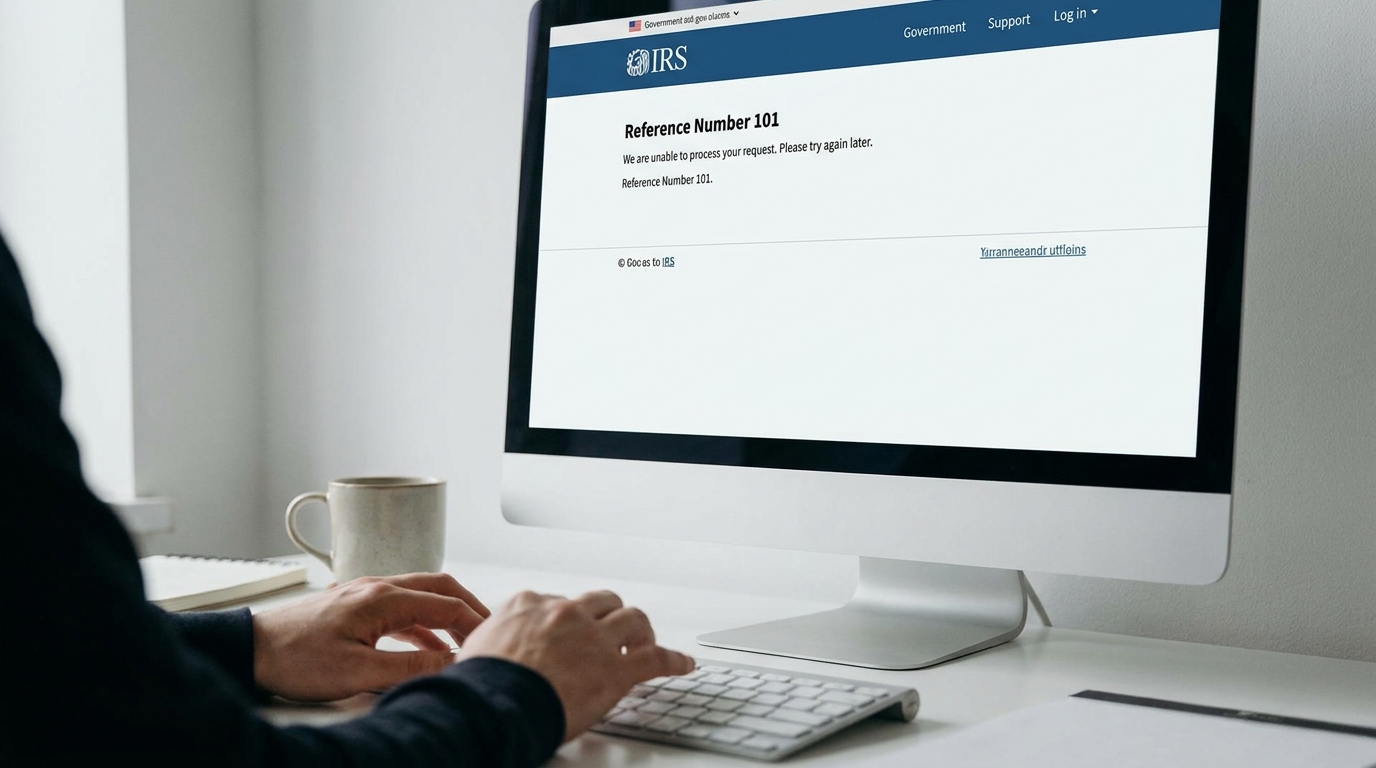
The 'unable to get EIN reference number 101' error is a specific message you might encounter when applying for an Employer Identification Number (EIN) through the IRS online application system. While it can be frustrating, it's not always an indication of a mistake on your part. Instead, this error typically signifies a communication breakdown or a processing issue within the IRS system itself. It means the system could not generate or provide the unique reference number needed to track your application and complete the EIN assignment process at that specific moment. This reference number is distinct from the EIN itself; it's an internal identifier the IRS uses to manage applications. Historically, the IRS online EIN application has been a robust system, but like any complex digital infrastructure, it can experience temporary glitches, peak traffic slowdowns, or data synchronization issues. Check out our guide on forming an LLC in Arkansas for step-by-step instructions. For example, during tax season or periods of high business formation activity, such as Q1 and Q4, the system can become overloaded, leading to these types of errors. It's akin to trying to access a popular website during a major event – sometimes the server simply can't handle all the requests simultaneously. Understanding this distinction, that the error is often system-centric rather than applicant-centric, is crucial for maintaining calm and proceeding methodically. The goal is to identify the underlying cause, which could range from a simple browser issue to a more complex data conflict, and then apply the appropriate resolution strategy to ensure your business can secure its vital tax identification number.
Pinpointing the Root Causes of the 101 Error
Several factors can trigger the 'unable to get EIN reference number 101' error. One of the most frequent culprits is a duplicate application within a short timeframe. The IRS system is designed to prevent multiple EINs from being issued to the same entity or individual acting as a responsible party. If you've previously started an application and it wasn't completed, or if you made a minor error and immediately tried again, the system might flag your new attempt as a duplicate, even if the previous one didn't fully process. The IRS typically has a 7-day waiting period before a new online application can be submitted for the same responsible party if an error occurred. Another common cause relates to the 'responsible party' information. The IRS defines a responsible party as the individual who ultimately owns or controls the entity or who exercises ultimate effective control over the entity. For an LLC, this is often a member; for a corporation, it's usually an officer. If the name, Social Security Number (SSN), or Individual Taxpayer Identification Number (ITIN) for the responsible party doesn't exactly match IRS records, or if that individual already has an EIN associated with them in a similar capacity, the 101 error can appear. Our resource on how to register an LLC in California breaks this down further. This strict matching is a key fraud prevention measure. Furthermore, technical issues such as browser compatibility problems, an unstable internet connection, or an outdated web browser can prevent the application from submitting correctly, leading to the error. Lastly, the IRS online system is generally available Monday through Friday, 7 a.m. to 10 p.m. ET. Attempting to apply outside these hours will result in an error, though usually a more explicit one. However, during system maintenance windows, even within these hours, the 101 error can surface. Identifying which of these scenarios applies to your situation is the first step toward resolution.
A Comprehensive Troubleshooting Guide
When faced with the 101 error, a systematic approach is best. First, check for duplicate applications. If you recently attempted to apply, wait at least 7 business days before trying again online. The IRS system needs time to clear pending or incomplete applications. During this waiting period, do not submit another online application for the same entity or responsible party. Next, verify responsible party information. Ensure the name and SSN/ITIN you entered for the responsible party precisely match IRS records. Even a minor discrepancy, such as a middle initial versus a full middle name, can trigger a mismatch. If you are a foreign applicant without an SSN or ITIN, you cannot use the online application and must apply via fax or mail using Form SS-4. For US citizens or residents, double-check your SSN. If you're exploring this further, our guide on setting up your Colorado LLC is a helpful next step. Clear browser cache and cookies or try a different web browser. Sometimes, stored data or browser extensions can interfere with web forms. Using a different device or an incognito/private browsing window can also help rule out local technical issues. Ensure your internet connection is stable throughout the application process. Finally, review the application thoroughly before submission. Although the error appears after submission, meticulous review of all input fields for typos or inconsistencies can prevent issues. Pay close attention to the legal name of your entity, its address, and the business activity codes. For example, if you're forming an LLC in Delaware, ensure the legal name on your application exactly matches the name approved by the Delaware Division of Corporations, including any corporate designators like 'LLC' or 'L.L.C.'.
Understanding IRS Internal Processing and Delays
Beyond immediate applicant-side issues, the 'unable to get EIN reference number 101' error can stem from internal IRS processing limitations or unexpected system delays. The IRS's IT infrastructure, while robust, handles millions of applications and queries annually. During peak periods, such as the initial launch of a new tax credit program or the months following significant legislative changes impacting business formation, the online EIN application system can experience slowdowns. For instance, in early 2024, after the Corporate Transparency Act (CTA) came into full effect, many businesses formed to comply with beneficial ownership information reporting, leading to increased demand for EINs.
These delays aren't always explicitly communicated as 'system maintenance.' Instead, they might manifest as generic errors like the 101 message. The IRS system may also undergo silent updates or patching, which can temporarily disrupt services. If you've attempted the troubleshooting steps and are confident in your application details, a waiting period of 24-48 hours before reattempting can often resolve the issue, as the system might clear itself. It's important to remember that the IRS processing times for EINs, especially for paper or fax applications, can range from 4 business days to several weeks. While the online system is typically instant, the backend infrastructure is shared, and fluctuations can occur. Patience, combined with a methodical re-attempt, is often the most effective strategy when these internal processing issues are suspected.
Exploring Alternative EIN Application Methods
If repeated attempts with the online application yield the 101 error, or if you are a foreign applicant without an SSN/ITIN, you must consider alternative application methods. The IRS offers three primary alternatives to the online portal:
- Fax Application (Form SS-4): This is often the quickest alternative. You can complete Form SS-4, 'Application for Employer Identification Number,' and fax it to the appropriate IRS fax number. For applicants within the U.S., the number is 855-641-6935. For international applicants, it's 304-707-9471. The IRS typically processes fax applications within 4 business days and faxes the EIN back to you. This method bypasses the online system's real-time validation checks that might trigger the 101 error.
- Mail Application (Form SS-4): For those not in a rush, mailing Form SS-4 is an option. While reliable, this is the slowest method, with processing times often ranging from 4 to 6 weeks. Mail your completed Form SS-4 to: Internal Revenue Service, Attn: EIN Operation, Cincinnati, OH 45999.
- Telephone Application (for International Applicants): International applicants without a US SSN or ITIN can apply by telephone. Call 267-941-1099 (this is not a toll-free number) Monday through Friday, 6 a.m. to 11 p.m. ET. An IRS assistant will ask you questions from Form SS-4 and issue the EIN immediately upon successful verification. This method is particularly useful for those in different time zones who can manage the call during US business hours. Remember, only the responsible party or an authorized third party (with Form 2848, Power of Attorney) can make this call.
Strategic Reapplication: When and How to Proceed
Deciding when to reapply for your EIN, especially after encountering the 101 error, requires careful consideration to avoid further delays or issues. The general rule of thumb is to wait at least 7 calendar days after your last online attempt before submitting a new online application for the same entity and responsible party. This waiting period allows the IRS system to fully clear any pending or incomplete records associated with your previous attempt. Submitting too soon can lead to another 101 error, or worse, a duplicate EIN being issued, which can create significant tax and administrative headaches down the line.
Before reapplying, meticulously review all the information you plan to submit. Cross-reference your business name, address, and the responsible party's SSN/ITIN with your official formation documents (e.g., Certificate of Formation for an LLC in Texas) and personal identification. Ensure consistency across all fields. If you believe the issue was a temporary system glitch, waiting and trying again online after 7 days, perhaps during off-peak IRS hours (e.g., early morning ET), can be effective. If you suspect an issue with your responsible party data or if you're an international applicant, switching to the fax or telephone method (as outlined in the previous section) immediately might be a more strategic move, as these methods process applications differently and often bypass the specific online validation checks that cause the 101 error. For example, a new LLC formed in Florida might encounter this if the responsible party's SSN was recently updated with the Social Security Administration but not yet synchronized across all IRS databases. A fax application would typically resolve this faster.
Proactive Steps to Prevent EIN Application Errors
Preventing EIN application errors, including the dreaded 101, starts with thorough preparation and attention to detail. Before you even access the IRS online application, ensure your business entity is officially formed and registered with the state. For instance, if you're forming an LLC in California, make sure your Articles of Organization have been filed and approved by the California Secretary of State. The legal name of your entity on the EIN application must exactly match the name on file with the state.
Next, confirm the details of your responsible party. This individual's full legal name and SSN/ITIN must be accurate and up-to-date with IRS records. Any discrepancies, even minor ones, can lead to validation failures. It's advisable to have your SSN card or ITIN assignment letter readily available. If you're a non-US resident applying for a US entity, ensure you understand the specific requirements for international applicants, which typically preclude using the online system if you don't have an SSN or ITIN.
When filling out the online form, take your time. Double-check every field before moving to the next. Avoid using the browser's back button, as this can sometimes corrupt session data. If you need to make a correction, use the navigation provided within the IRS application itself. Consider preparing all the required information in a separate document beforehand, so you can simply copy and paste or transcribe it accurately. This minimizes the chance of typos under pressure. For example, if your business is a C-Corp based in New York, confirm its exact legal name, address, and the responsible officer's details meticulously.
How Lovie Simplifies Your EIN Registration Process
Navigating the IRS's EIN application process can be complex and time-consuming, especially when encountering errors like 'unable to get EIN reference number 101'. This is where Lovie, the AI-powered company formation platform, offers a significant advantage. Lovie simplifies EIN registration by acting as your authorized third-party representative, preparing and submitting all necessary documentation on your behalf.
When you form your LLC or C-Corp with Lovie, EIN registration is seamlessly integrated into our single $29 one-time fee. This means you don't have to worry about correctly filling out Form SS-4, understanding IRS terminology, or troubleshooting obscure error messages. Our AI-driven platform ensures that all responsible party information and entity details are accurately collected and formatted according to IRS guidelines, minimizing the chances of errors that lead to the 101 message. We handle the submission process, whether it's through the online portal (when applicable) or via fax, ensuring your application reaches the IRS efficiently. Lovie's $29 one-time fee covers formation preparation and filing, with compliance reminders included; state filing fees are paid directly to your state, and registered agent service is priced separately at $79/year ($49/year in Wyoming). This eliminates the guesswork and frustration, allowing you to focus on building your business, whether it's an AI startup in Delaware or an e-commerce venture in California, without getting bogged down in administrative hurdles. We assist with obtaining your EIN, but it's important to remember that state approval times and IRS processing are not controlled by Lovie.
Frequently asked questions
How long does it typically take to get an EIN?
If you apply for an EIN online and your application is successfully processed without errors, you will receive your EIN immediately. For fax applications, the IRS typically faxes the EIN back within 4 business days. Mail applications are the slowest, usually taking 4 to 6 weeks to process. International applicants who call the IRS can often receive their EIN immediately over the phone.
Can I apply for an EIN without a Social Security Number (SSN)?
Yes, if you are a foreign individual who needs an EIN for a US business but does not have a Social Security Number (SSN) or Individual Taxpayer Identification Number (ITIN), you cannot use the online application. You must apply by fax or mail using Form SS-4, or by telephone. The IRS provides specific procedures for international applicants to obtain an EIN.
What if I accidentally applied for a duplicate EIN?
If you suspect you've received a duplicate EIN, or if you applied multiple times, it's crucial to contact the IRS directly as soon as possible. Call the Business & Specialty Tax Line at 800-829-4933. Explain the situation, and they will help you determine if a duplicate was issued and how to proceed, which may involve canceling one of the EINs to avoid compliance issues.
Is there a fee to get an EIN?
No, there is no fee to apply for an Employer Identification Number directly through the Internal Revenue Service (IRS). The application for an EIN (Form SS-4) is a free service provided by the IRS, regardless of the application method (online, fax, mail, or telephone).
Who is considered the 'responsible party' for an EIN application?
The 'responsible party' is the individual who ultimately owns or controls the entity or who exercises ultimate effective control over the entity. For a corporation, this is typically the principal officer. For an LLC, it's often a member or manager. This individual's name and SSN/ITIN are required on the EIN application, and they must be able to verify their identity with the IRS.
Can I use a P.O. Box as my business address for an EIN?
For the EIN application, the IRS generally requires a physical street address for the principal place of business. While a P.O. Box can sometimes be used for mailing addresses, it's best practice to provide a physical address to avoid potential issues or requests for clarification from the IRS, especially for the initial application.
Key Concepts: Business Formation
US Business Formation guides entrepreneurs through the business formation process with actionable steps. Key components include LLC formation, entity registration, and state filing, each playing a critical role in the business formation process. Understanding liability protection and tax optimization is essential, as these factors directly impact legal compliance.
When evaluating business formation options, factors such as business entity types and formation process should inform your decision-making process.
Entity Relationships
- Business Formation requires LLC formation
- Business Formation includes entity registration
- Business Formation establishes state filing
- Business Formation defines business structure selection
Quick answers
What do I need to know about Unable To Get Ein Reference Number 101 for my business?
Understanding Unable To Get Ein Reference Number 101 is essential for business compliance and operational success. The specific requirements vary by state and industry.
How does Unable To Get Ein Reference Number 101 affect my business formation?
This aspect of business formation directly impacts your legal standing, tax obligations, and operational flexibility.
Explore Formation Guides
State-specific formation guides, cost breakdowns, compliance checklists, and expert comparisons — updated for 2026.
LLC Formation Guides
- How to Form an LLC for Virtual Assistant Hawaii
- How to Form an LLC for Web Developer West Virginia
- How to Form an LLC for Drone Services Wyoming
- How to Form an LLC for Freelancing California
Popular Guides
Cost by Entity & State
- Sole Proprietorship Cost Alabama Formation Costs
- Nonprofit Cost Michigan Formation Costs (2026) | Lovie
- C Corp Cost South Carolina Formation Costs (2026) | Lovie

Lovie is not a government agency, law firm, or professional advisory organization. Lovie is a private business-formation service that prepares and submits filings to the appropriate state agencies on your behalf — we do not issue government documents, and state approval times are not controlled by Lovie. Information on this page is general and not legal, tax, or financial advice.