01 — FreeTools by Lovie

Two founder tools. One Mac app.

Free, native, and running on your own machine — not ours.

FreeTools is one app with two halves. FreeTokens signs you up across 20 free LLM providers and puts ~400 verified chat models behind one local key. Accelerator AI, coming soon, takes your founder profile once and fills in applications to 40 accelerators. One download, one sign-in, and no Lovie server between you and anything.

Download for MacApple Silicon and Intel. Free, with a Lovie account.
One app, two tools20 providers~400 chat models40 programmes$0
What is in it?
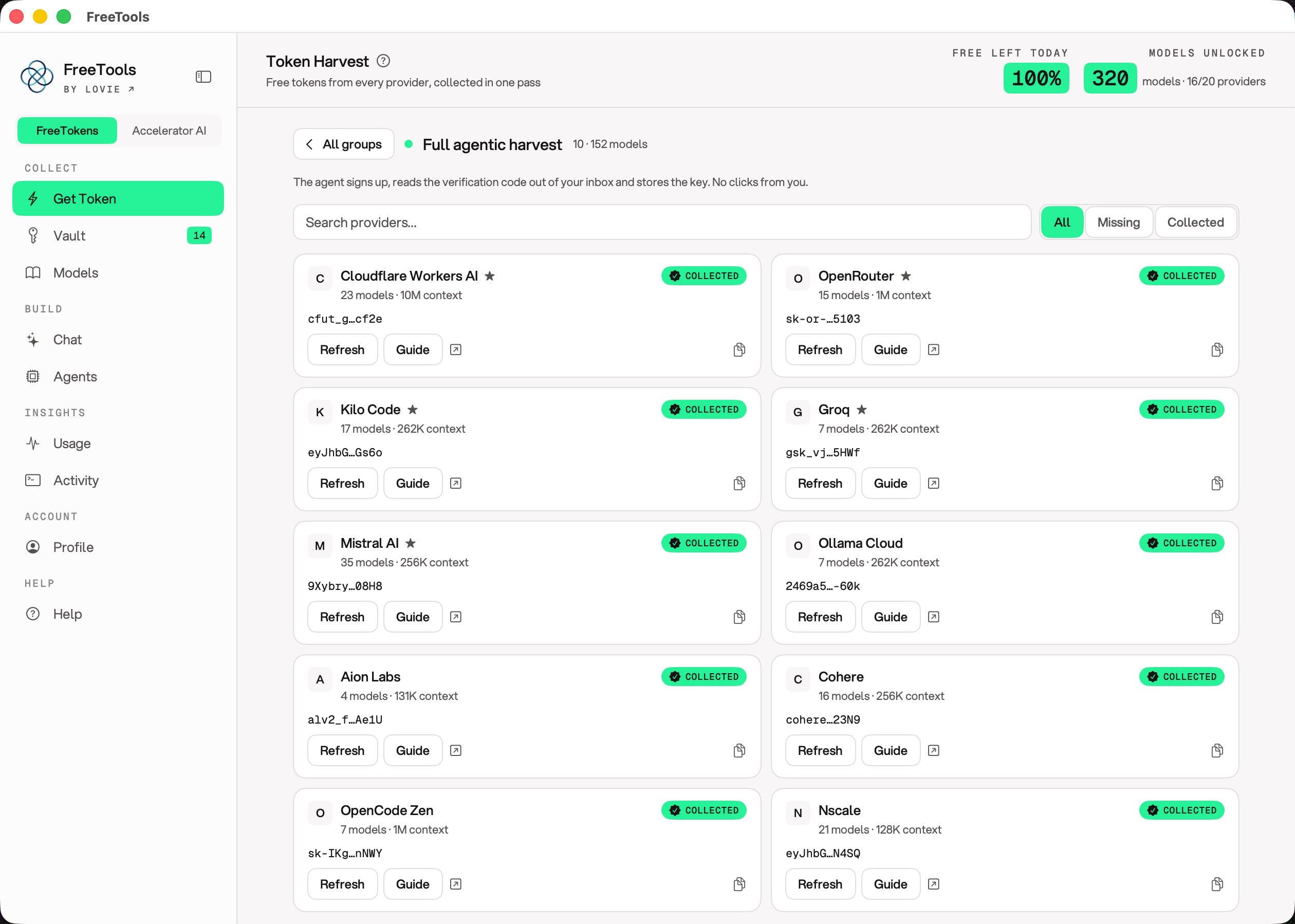
The app's Get Token screen: twenty free providers, each one collected, with the keys stored on this Mac.
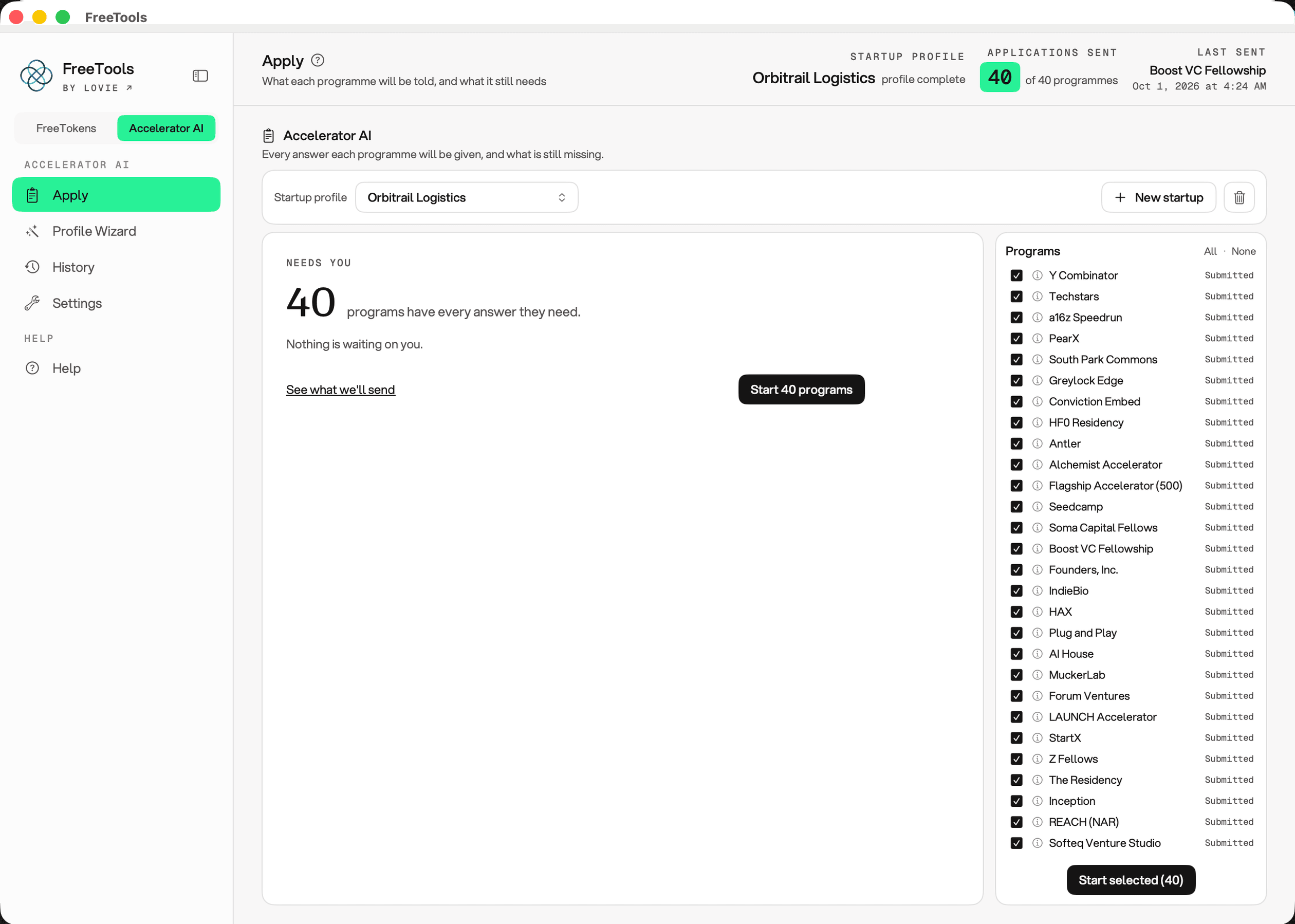
The app's Apply screen: one startup profile, forty accelerator programmes, thirty-nine applications already sent.

02 — What is in it

Two jobs founders should not be doing.

Both halves are the same shape: a chore that is mostly repetition, done once properly on your own machine instead of twenty or forty times in a browser tab. They share a window, a sign-in and an update channel, and you can ignore whichever one you do not need.

FreeTokensIncluded

Free LLM tokens, harvested on your Mac

One click signs you up across the automatic half of 20 free LLM providers, collects every key into your Keychain, and puts ~400 verified chat models behind one local key — at least 162 million free tokens a month, renewed monthly.

  • 20 providers, ~400 chat models
  • One local endpoint for Claude Code, Codex, Aider, Zed and the rest
  • Keys stay in this Mac's Keychain
Accelerator AIComing soon

One profile, forty applications

Answer 135 fields about you and the company once, pick your programmes, and the app opens each real application in its own window and fills it in — 1,530 fields across 40 accelerators.

  • 40 programmes, Y Combinator and Techstars among them
  • 135 fields answered once, in 7 sections
  • Nothing is submitted until you press Submit

03 — Download

Get the Mac app.

Signed and notarized. Open the dmg, drag the app to Applications, sign in with your Lovie account. It needs macOS 14 Sonoma or later, and the build below is whatever GitHub is serving as the latest release right now.

Apple Silicon and Intel

One universal dmg — both architectures in the same file, so there is no build to pick.

Download the latest release

Apple Silicon and Intel · notarized

On your Mac

  • macOS Native Swift app, universal for Apple Silicon and Intel, notarized, so it opens by double-click. Needs macOS 14 Sonoma or later.
  • Sign-in Your Lovie account. Keys still stay in Keychain.
  • Updates The app checks the same public release channel on its own and updates itself. No second download.
  • Accessibility Asked once, when a page needs a real click a web view cannot synthesise.
  • Apply Never writes until you press it, in the app.